 3:17
3:17
How to register your company on OEMup
Sign-up, email OTP verification, approval and first-time onboarding — company details, logo, regional settings and working hours.
Step-by-step guides to every module in OEMup — what each screen does, what every field means, and exactly which accounting entries get posted behind the scenes. Written for the people who actually run the factory: accounts, stores, dispatch and management. Prefer to watch? Jump to the video tutorials ↓
Term loans and CC/OD limits — create a loan, bring an existing mid-life loan on-book, run the EMI schedule and record repayments.
Read the manual → NewAsset master, asset purchase vouchers, depreciation runs and disposal — with the ledger postings each step creates.
Read the manual → NewGenerate IRNs and e-way bills for invoices and credit/debit notes, update Part-B vehicle details, and cancel within the allowed window.
Read the manual →Every core OEMup workflow, recorded screen by screen. Most run under two minutes, so you can watch one, do it in your own account, and move on. The written manuals above go deeper on fields and accounting entries; these show you the clicks.
Subscribe on YouTube →
3:17
Sign-up, email OTP verification, approval and first-time onboarding — company details, logo, regional settings and working hours.
 2:31
2:31
Working hours and holidays, timezone and currency, payment and delivery terms, document numbering formats and credit limits.
 1:37
1:37
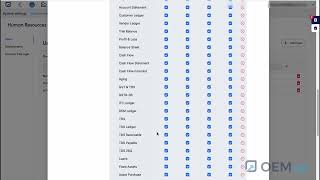
Add users, clone a permission set with Copy User Rights, control read/add/update/delete per screen, and set departments and account managers.
 1:42
1:42
The four building blocks of inventory — product groups mapped to inventory accounts, units of measurement and conversions, storage locations and the MOC master.
 1:29
1:29
Opening balances and inward stock — item, quantity, cost per unit, available-from date and storage location, with live on-hand and available quantities.
 1:39
1:39
Build the workstation master your routings draw on — the machines and work centres each operation runs on.
 3:21
3:21
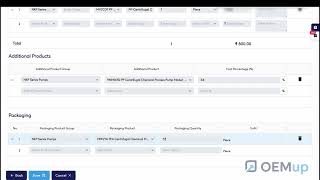
Components by article code with raw cost auto-fetched, additional products, spares and packaging, costing via purchase term or stock lot, and Copy BOM.
 2:01
2:01
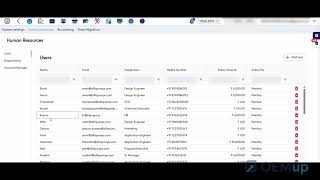
Operations in sequence with setup time, cycle time, fixed and variable cost, capacity and departments — the operation cost flows straight back into the BOM.
 3:31
3:31
Shortage list and auto-indent, FIFO booking from stock lots, live material/overhead/labour cost, consumption, passed and rejected quantities, and the production receipt.
 1:30
1:30
Auto-fill the vendor profile from the GST number, then set the account ledger purpose, currency, purchase manager, contacts, bank details and permissions.
 2:33
2:33
Send an invitation and let the vendor complete a secure multi-step form themselves — GST, PAN, addresses, KYC documents, contacts and bank details.
 1:39
1:39
Review the submitted details and KYC documents, catch duplicates, set the account ledger and approve — the vendor account and login are created automatically.
 1:35
1:35
A full tour of what your approved vendors see — purchase orders, RFQs, ARC contracts, shipments, invoices, KYC documents and first sign-in.
 1:29
1:29
The internal request to purchase — build the requisition line by line, link it to real demand such as a customer order, bulk-import with Excel/CSV, and convert to an RFQ or PO.
 1:25
1:25
Raise an RFQ from an indent, vendors quote through a secure portal form with no login, then compare offers side by side and convert the winner into a PO.
 1:56
1:56
Vendor terms auto-fill, items with quantity, price and discount, live tax and totals, a branded PO PDF, and invoices, shipments and notes tracked against it.
 1:12
1:12
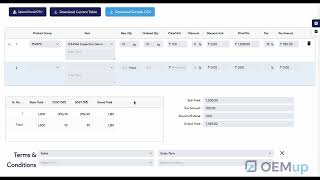
Book the invoice against its PO — delivered quantity, discounts, IGST and grand total in real time, with payment status in the invoice register.
 1:56
1:56
The QC gate between goods received and usable stock — inspections raised from the PO invoice, approved and rejected quantities, and pass/fail with reasons.
 1:30
1:30
Send rejected or returnable goods back to a vendor — return quantity, driver, transporter and vehicle, a branded gate-pass PDF, and challan tracking on the way back.
 1:00
1:00
Create a reusable term, choose the documents it applies to, show it on the PO invoice and make it the default — every order on consistent, agreed terms.
 1:34
1:34
Products with selling price and minimum quantity, bulk import by Excel/CSV, linked to a customer so rates auto-fill on every order.
 3:18
3:18
Build the order as a quotation — tax, HSN and price auto-populate, line and order discounts, payment terms, a branded quotation PDF, then convert to a delivery order.
 2:07
2:07
Delivered against ordered and remaining quantities, dispatch location, vehicle, transporter and driver, the DO PDF, and approval — only approved DOs can be invoiced.
 1:53
1:53
Raised from an approved delivery order — invoice type (tax, credit, debit, retail, SEZ or export), auto-calculated IGST, original/duplicate/triplicate PDFs and the e-way bill.
 2:26
2:26
Three CRM follow-up tools — a daily call list driven by next-contact dates, a reusable terms library, and every unpaid invoice with overdue days and outstanding amount.
 1:31
1:31
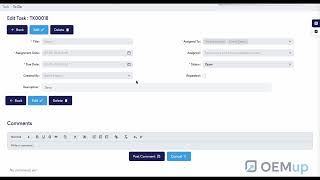
Assign tasks to one or several people with due dates, recurrence, AI-drafted descriptions and threaded comments — all inside the ERP.
 0:45
0:45
Lightweight private task tracking beside task management — title, due date, status, comments and attachments.
 2:07
2:07
Tiles from sales, procurement, stock and tasks, live KPIs and charts, drill-through to source records, resizable layout and export to PDF, Excel, CSV or JSON.
 0:53
0:53
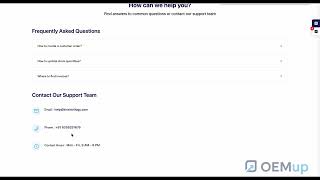
Raise a ticket with a screenshot, track it to resolution, browse the built-in help centre, and reach the OEMup team directly.
Videos are embedded in privacy-enhanced mode and only load from YouTube once you press play. Recorded on the current release — if a screen in your account looks different, check the module manuals above or book a walkthrough.
Each module manual follows the same shape, so you always know where to look. It opens with what the module is for and who typically uses it, then walks through every screen in the order you would actually use it — create, review, act, close. Field tables list the exact labels you see on screen, whether the field is mandatory, and what the system does with the value. A dedicated section spells out the accounting impact of each action in plain Dr/Cr terms, so your accountant and your auditor can both follow the trail.
Not everyone learns from a field table. The video tutorials above cover the same ground with a screen recording of the actual product — the whole procurement chain from indent to purchase invoice, production from BOM to closed manufacturing order, and quote-to-cash from price list to GST invoice and e-way bill. Most are under two minutes. Watch one, do it once in your own account, then use the written manual as the reference you come back to.
These pages describe OEMup as it ships today. If a screen in your account looks different, you may be on an older release or the feature may be gated by your role — each manual lists the permissions that control access to it. For anything not covered here, book a walkthrough or write to info@kiraintrilogy.com.
The manual documents how OEMup works. If you are researching what it does before buying, the features overview and industry pages are a better starting point. For compliance background rather than product steps — such as when an e-invoice is legally required — see the GST e-invoice guide and the blog.
Also useful: resources, video tutorials & FAQ · free manufacturing calculators
Reading about a module only goes so far. Start a free trial and run your first loan, asset or e-invoice end to end.
Start Free Trial Get a Demo